PROJECT — Outdoor Discovery (Civic Tech)
Hiking Mobile App - State Forest Management Centre (RMK)
A user-friendly companion for exploring trails, destinations, and outdoor events offered by the State Forest Management Centre.
Role
UX Designer
Platform
Mobile Application
Users
Outdoor Enthusiasts & Hikers
Year
2019
Overview
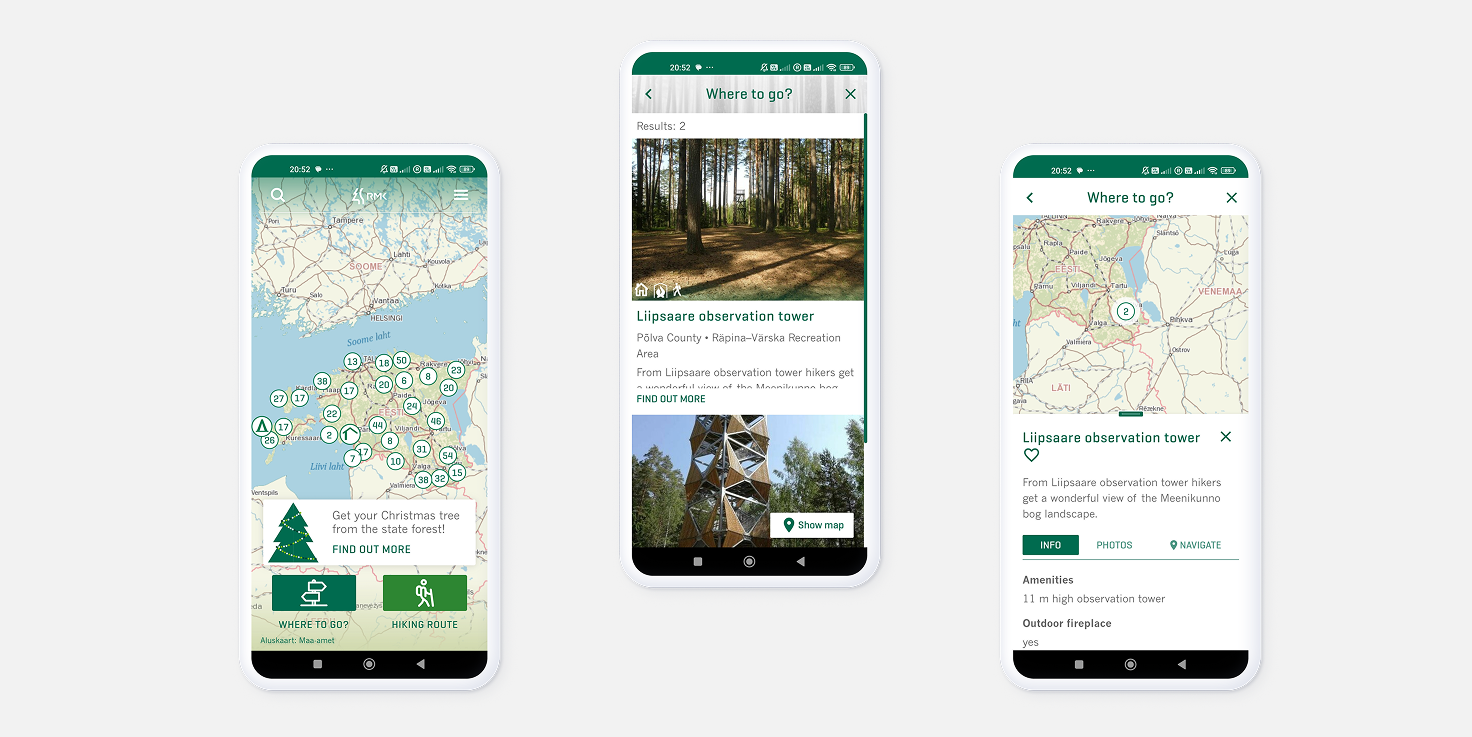
This app offers a variety of features that make it a valuable tool for hiking enthusiasts. It provides detailed information about hiking destinations, trails, and events offered by RMK in Estonia. By presenting maps, photos, and rich text content, together with capable search and filtering functions, the app allows users to explore and plan their outdoor adventures with ease. The app is designed to be user-friendly and easy to navigate, with a clean and modern interface that makes it easy to find the information you need.
Design Challenges
How might we...
..build an intuitive navigation system within the application to allow users to explore content that is multimodal and has various topics?
..maintain spatial context while accessing detailed information?
..ensure clarity and simplicity in a complex, multi-functional product used in outdoor contexts?
User Flows, Interaction Model & Prototyping
I led interaction design and prototyping of core user flows, shaping how users discover trails, explore the map, and transition into navigation during real-world use.
Translated analysis into user flows
Converted structured requirements into clear user flows, defining on how actions, decisions, and system feedback connect.
Defined the interaction model
I aligned the product’s information architecture with established map interaction patterns to define a coherent interaction model that feels familiar yet specialized for hiking.
Validated the Experience Logic
Built interactive prototypes to test flows and interaction models, creating a shared reference for stakeholder alignment and user validation.
Starting with low-fidelity wireflows to define transitions and logic, I refined them into high-fidelity wireframes and interactive prototypes used for testing and team alignment.
Example Flows and Key Screens
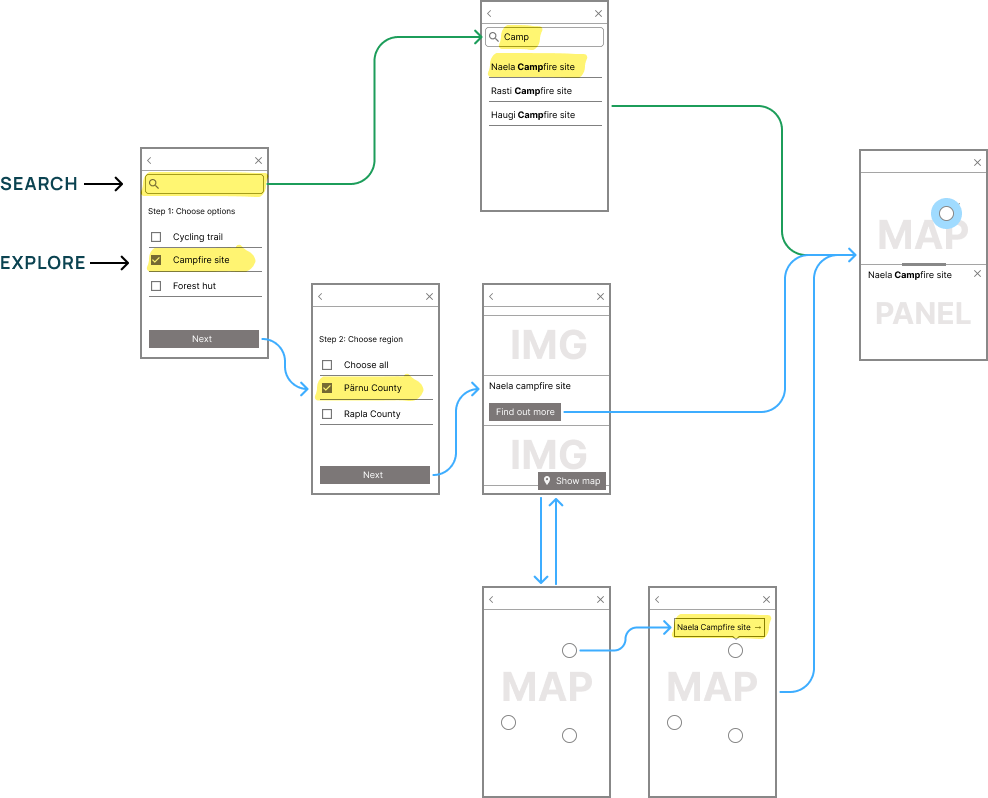
This wireflow describes how RMK app supports both direct search enabling quick access, while guided filtering helps users discover options.
Different States for the Panel
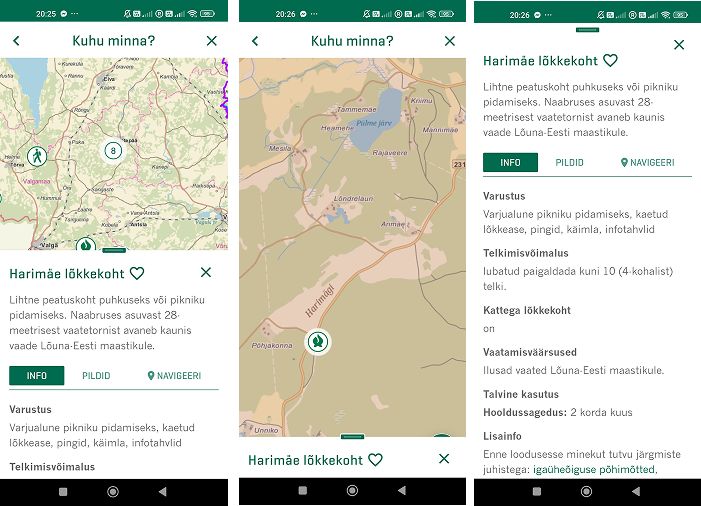
The panel showing detailed information supports different states, including: minimal, mid, and full.
Discover Trails and Destinations
Here are some examples of mobile screens to illlustrate how hikers discover, inspect, and select an object of interest in the app.
From Planning to Movement
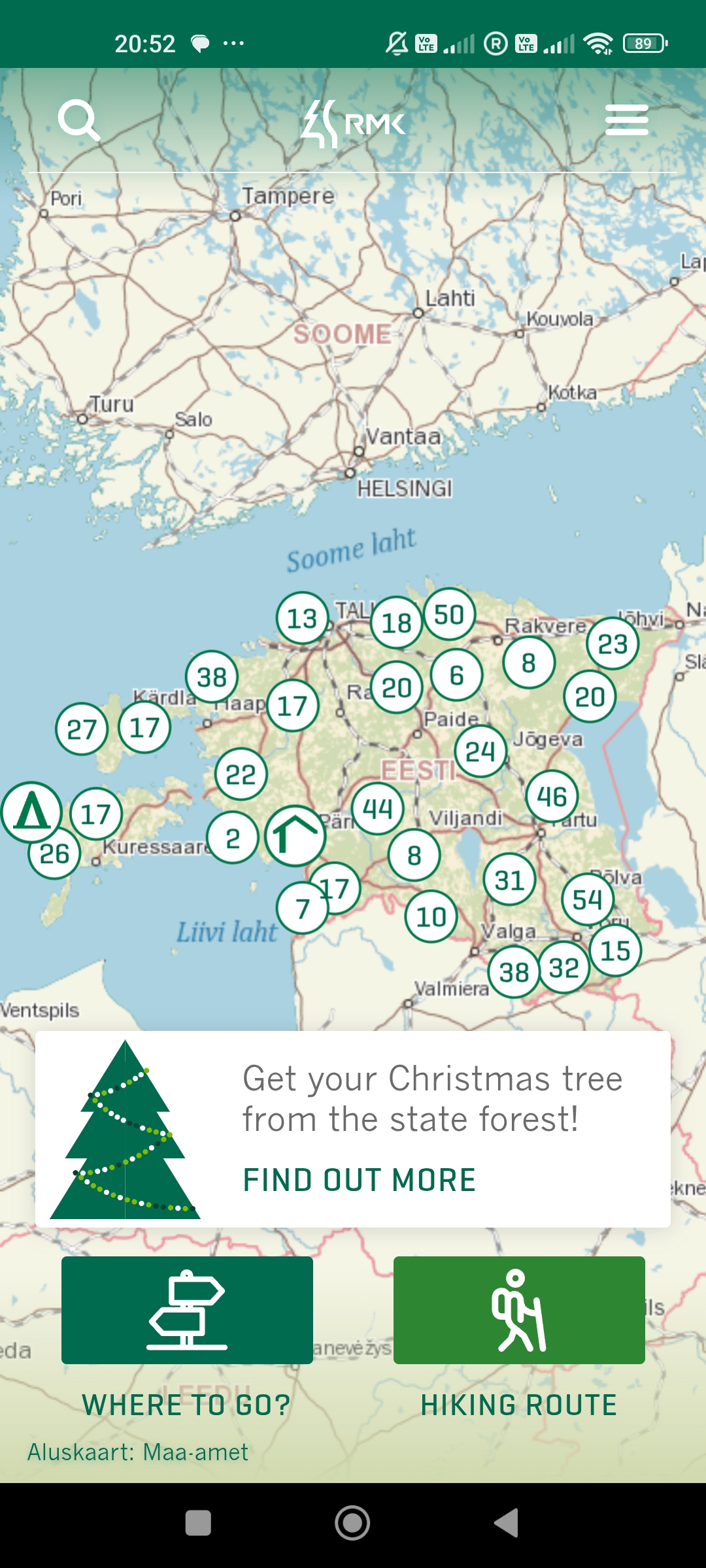
The result is a cohesive experience that guides users from discovering routes and destinations to confidently starting their journey, and support them during the journey.
-
Clear User Flows support both direct intent and open-ended exploration
Users can evaluate options, compare routes, and make decisions directly within the map context, without losing orientation.
-
Consistent Interaction Patterns
Interaction patterns support quick comparison, clear decisions, switching between different contexts, and support non-linear exploration.
Connects discovery, decision-making, and navigation into one coherent mobile experience